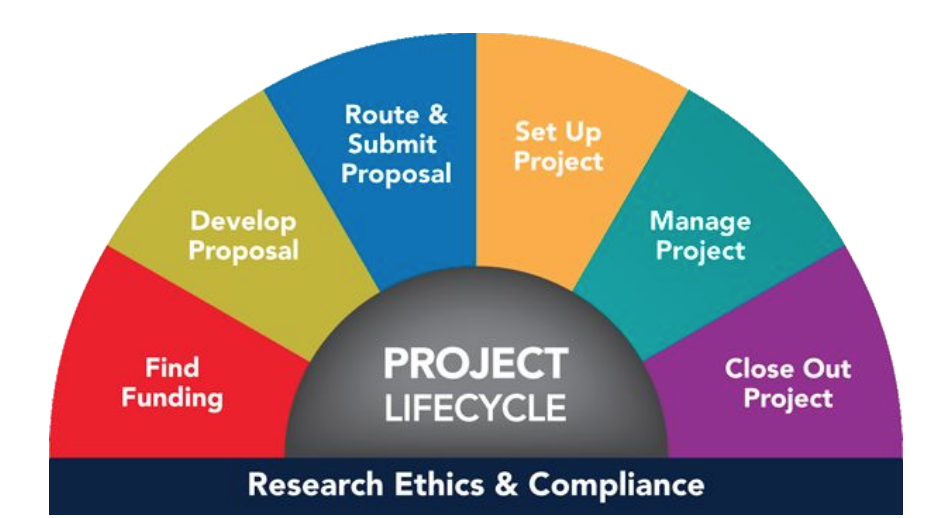
Research Administrator Competency Navigator
Overview
Duration: Sep, 2019 - Dec, 2019 (3 MONTHS) Team Size: 5
Client: Office of Research and Sponsored Projects My Role: UX Researcher and Designer
Skills learned: Interviews, Affinity diagrams, Synthesis, Paper prototypes, Client communication, Digital prototypes
Problem
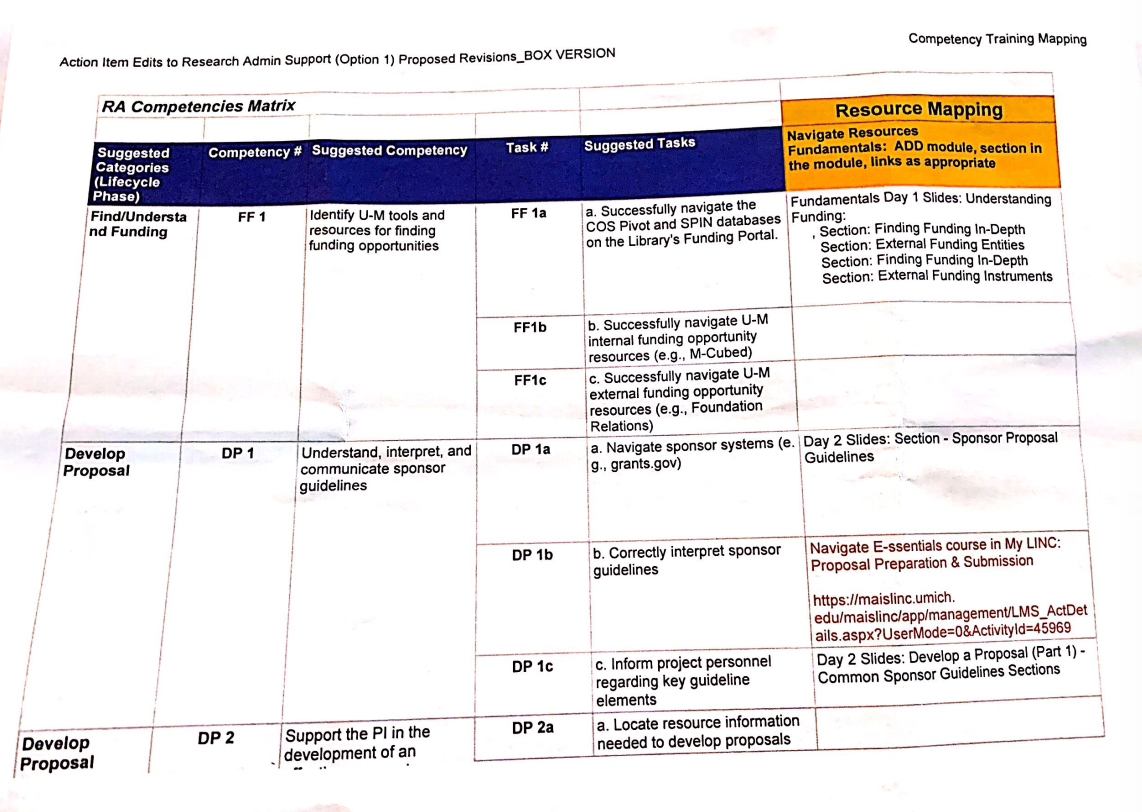
Research Administrators (RAs) at the University of Michigan must learn to perform a variety of complex tasks in order to succeed in their roles and advance in their field. To help Research Administrators discover useful career advancement resources, the University of Michigan’s Office of Research and Sponsored Projects (ORSP) has curated a Competencies Development Matrix to help Research Administrators to gain competencies and perform certain tasks to be more successful in their career. However, the Matrix, which currently exists in the form of a spreadsheet, is difficult for Research Administrators to access, navigate, and use. To help solve this information challenge, the Office of Research and Sponsored Projects (ORSP) submitted a project proposal to Design Clinic. The project goal is to design a wireframe and prototype for future online delivery of the current spreadsheet as an interactive, user-friendly, web-based resource for these critical 2,500+ staff members and their managers.
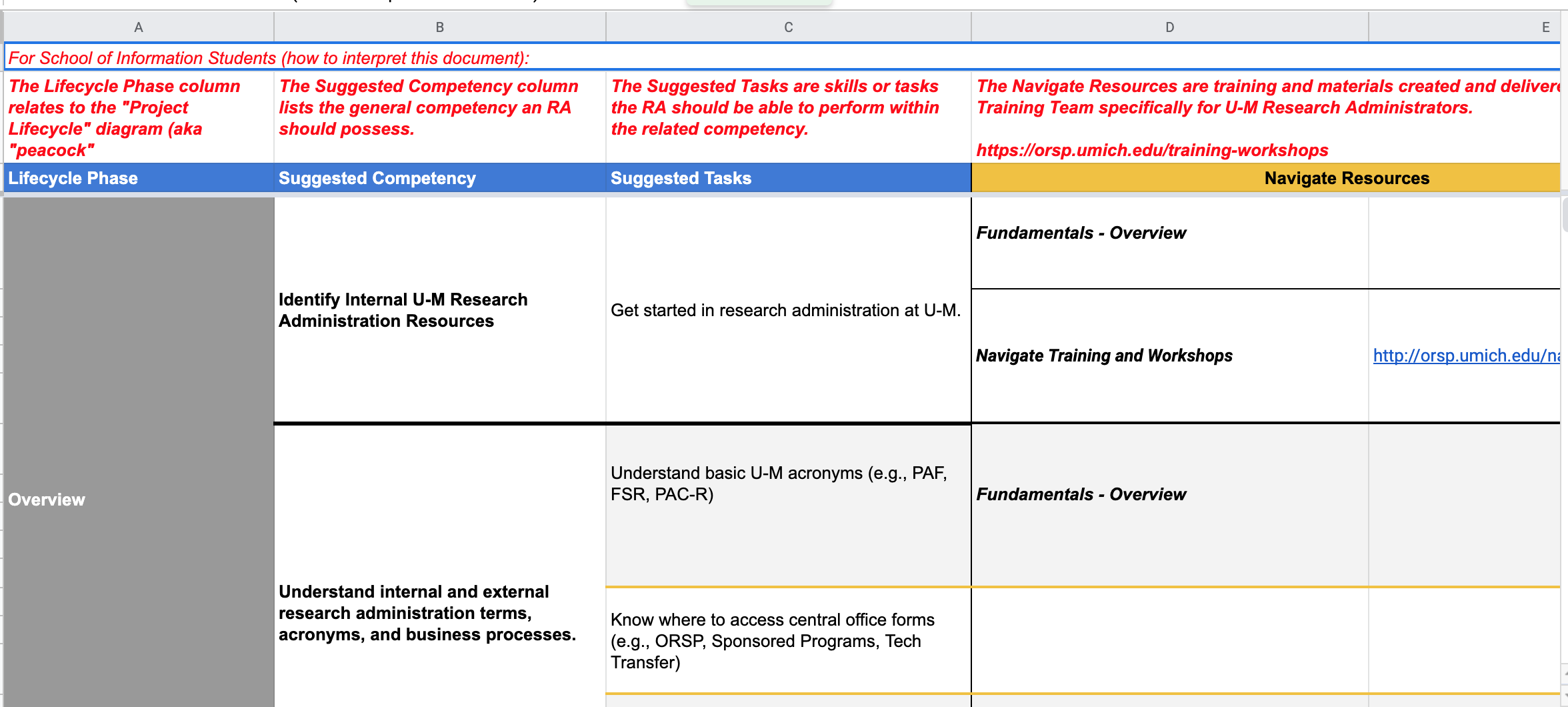
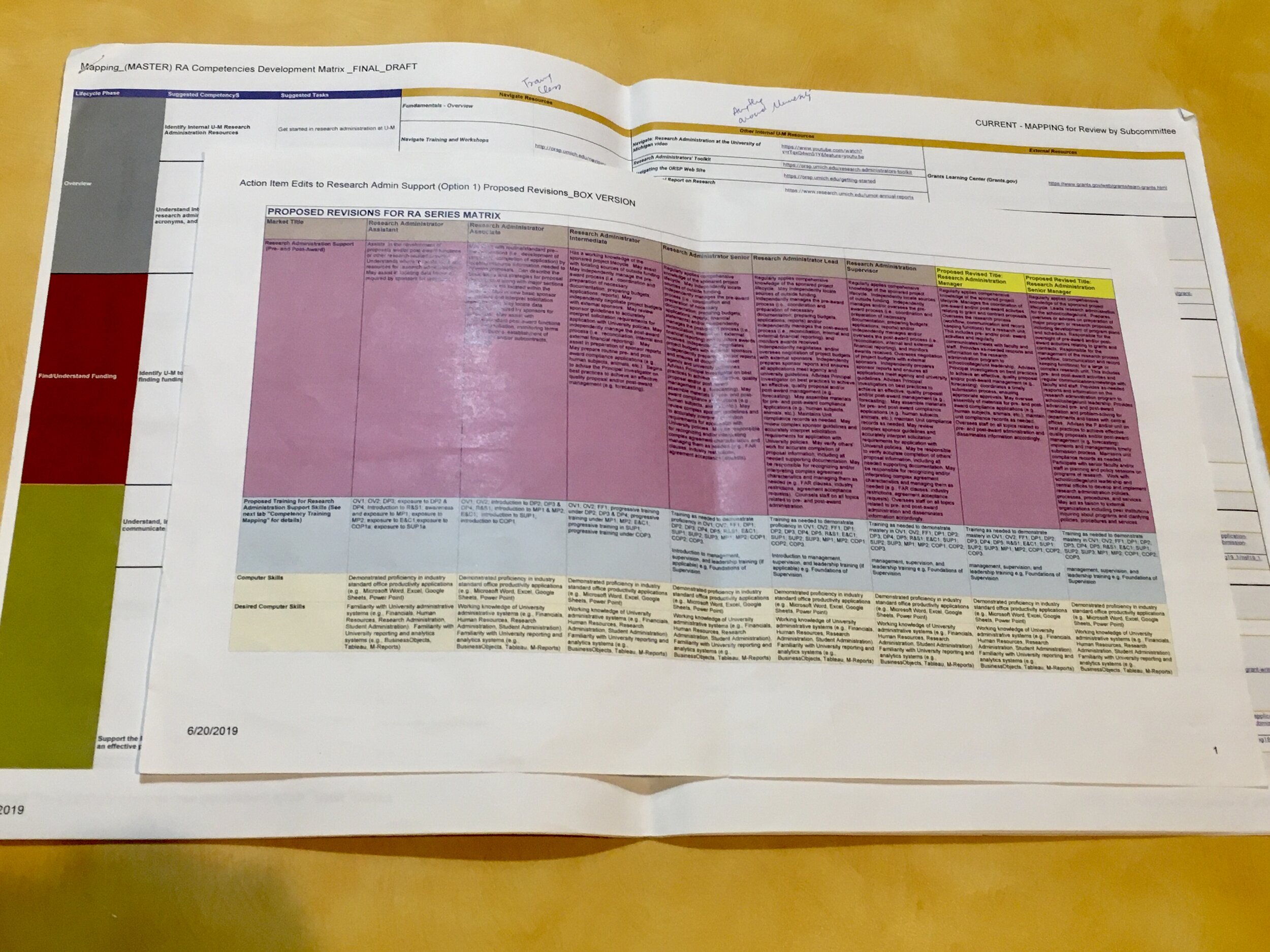
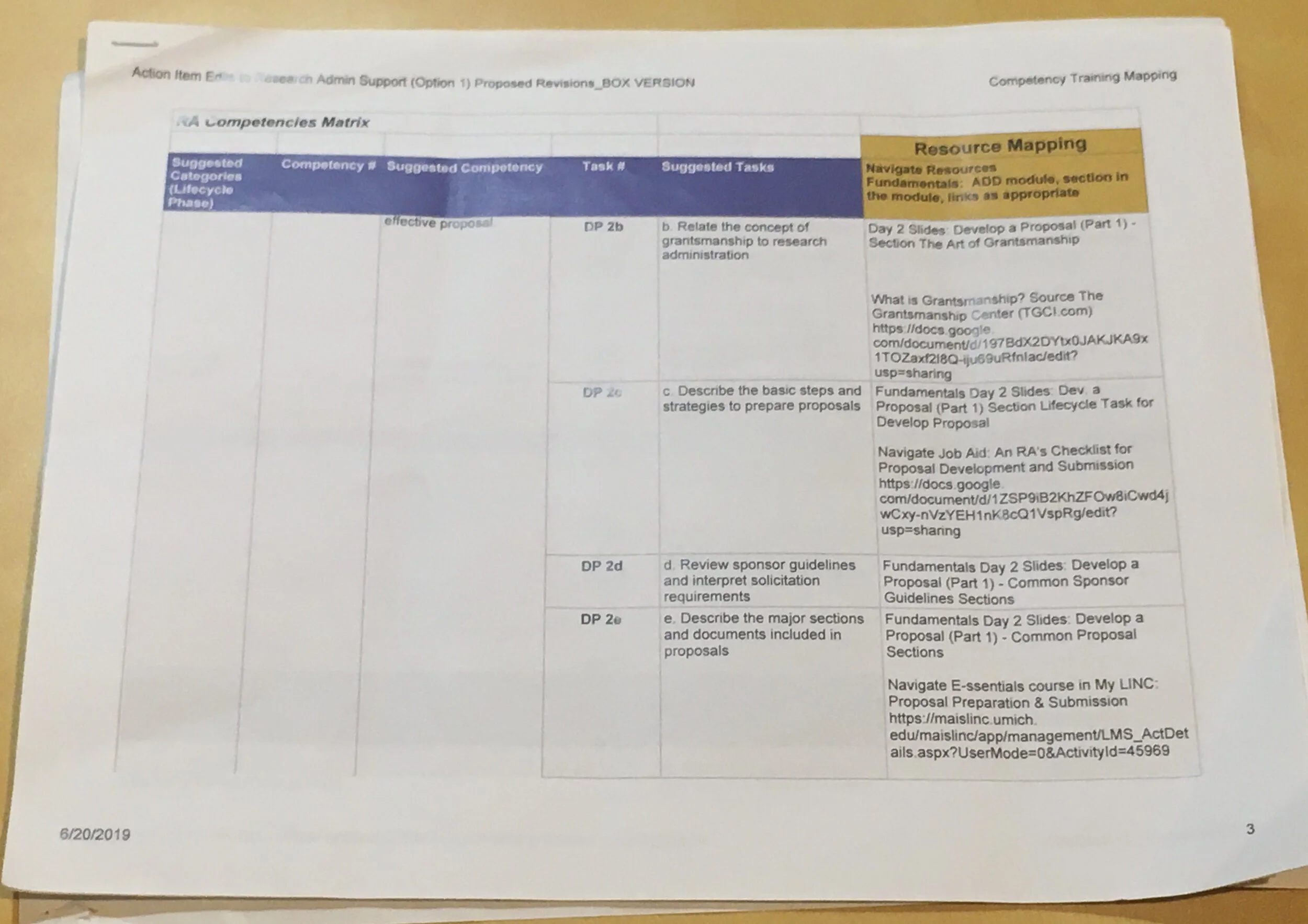
Current Spreadsheets
How do we solve this problem?
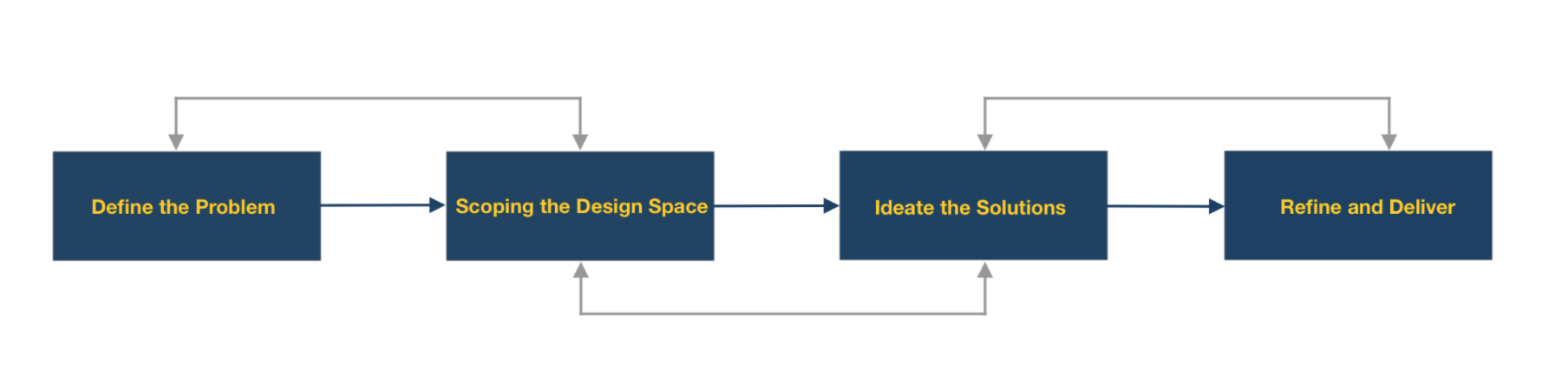
I. Define
1. What are in the spreadsheets?
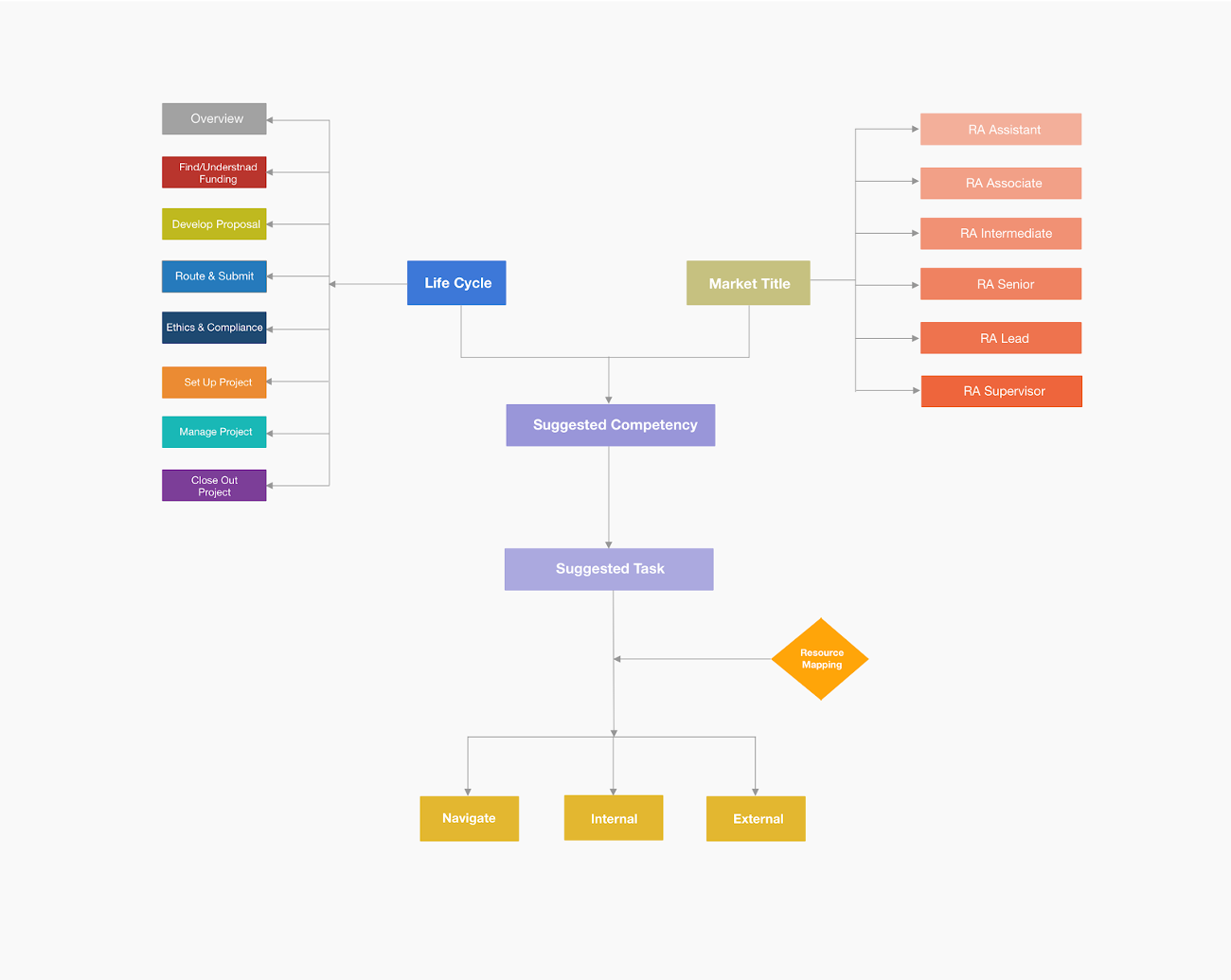
Our team started by learning the Competencies Matrix can itself be divided into three spreadsheets: a main spreadsheet organized by lifecycle and suggested competencies, an auxiliary spreadsheet that describes which competencies Research Administrator of varying market title must be able to perform, and a third, supplementary spreadsheet that helps decode the acronyms used throughout the auxiliary spreadsheet.
To map the workflow of using the spreadsheets, I created the flow diagram below. The tasks and competencies were organized by different life cycles and market titles. This step helped our team gain a deeper understanding of the information architecture of a large amount of data from our client. The flow also helped present our main design logic.
2. Empathize with the users: interviews
Our team conducted 7 interviews with Research Administrators at the College of Engineering and the Medical School. Interviews were in-person and conducted in the workplace of RAs. The average interview time lasted between 30 minutes and 1 hour. Themes explored in the interviews included: background, experience in research administration, training and mentorship, approaches to finding career development resources, approaches to finding resources necessary for performing daily functions, and overall impression of the job. We took a semi-structured interview approach in our exploration of these themes, which allowed our conversations to flow naturally toward information-rich topics of discussion. Please see our interview protocol here.
II. Scoping the design space
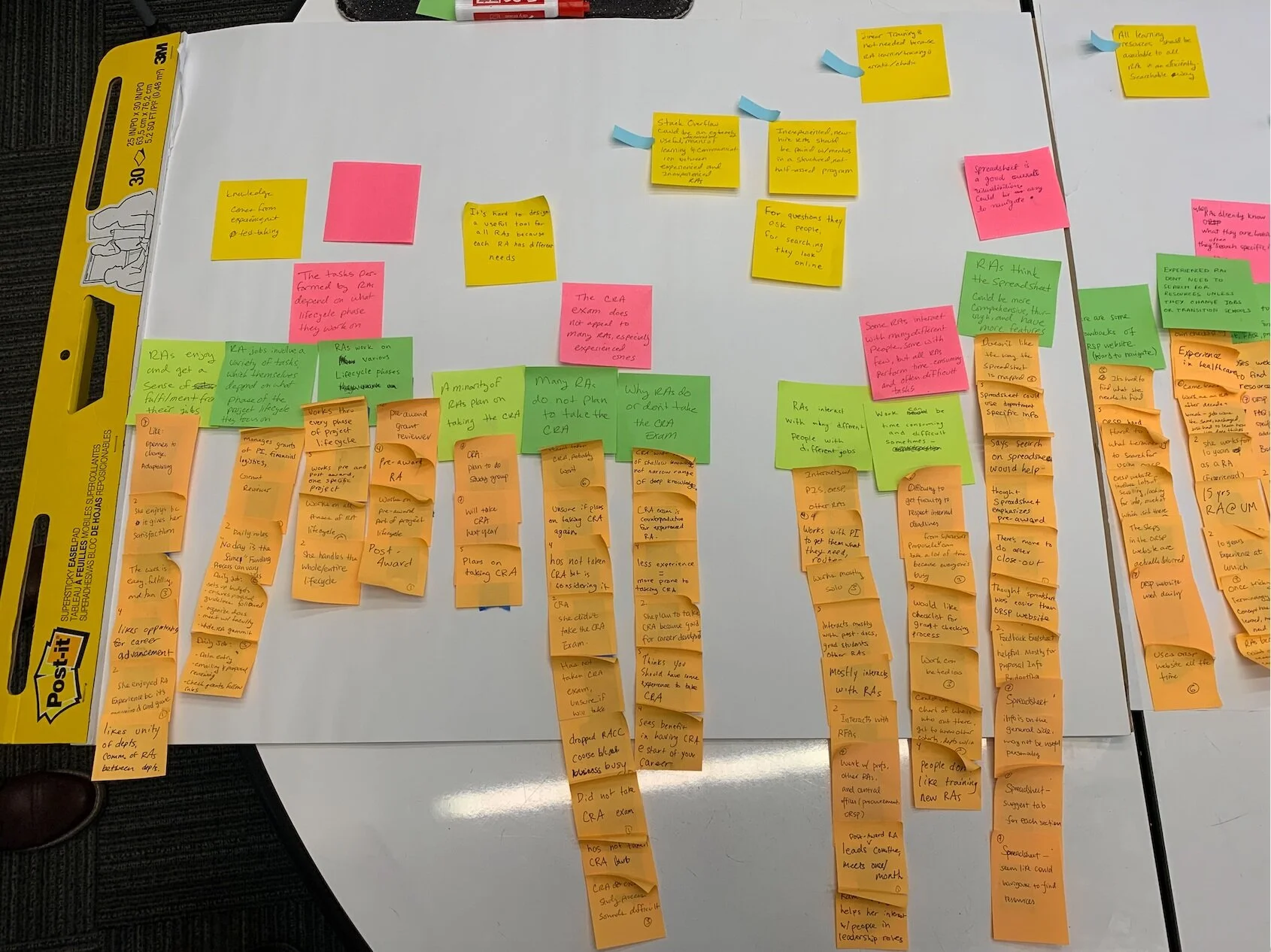
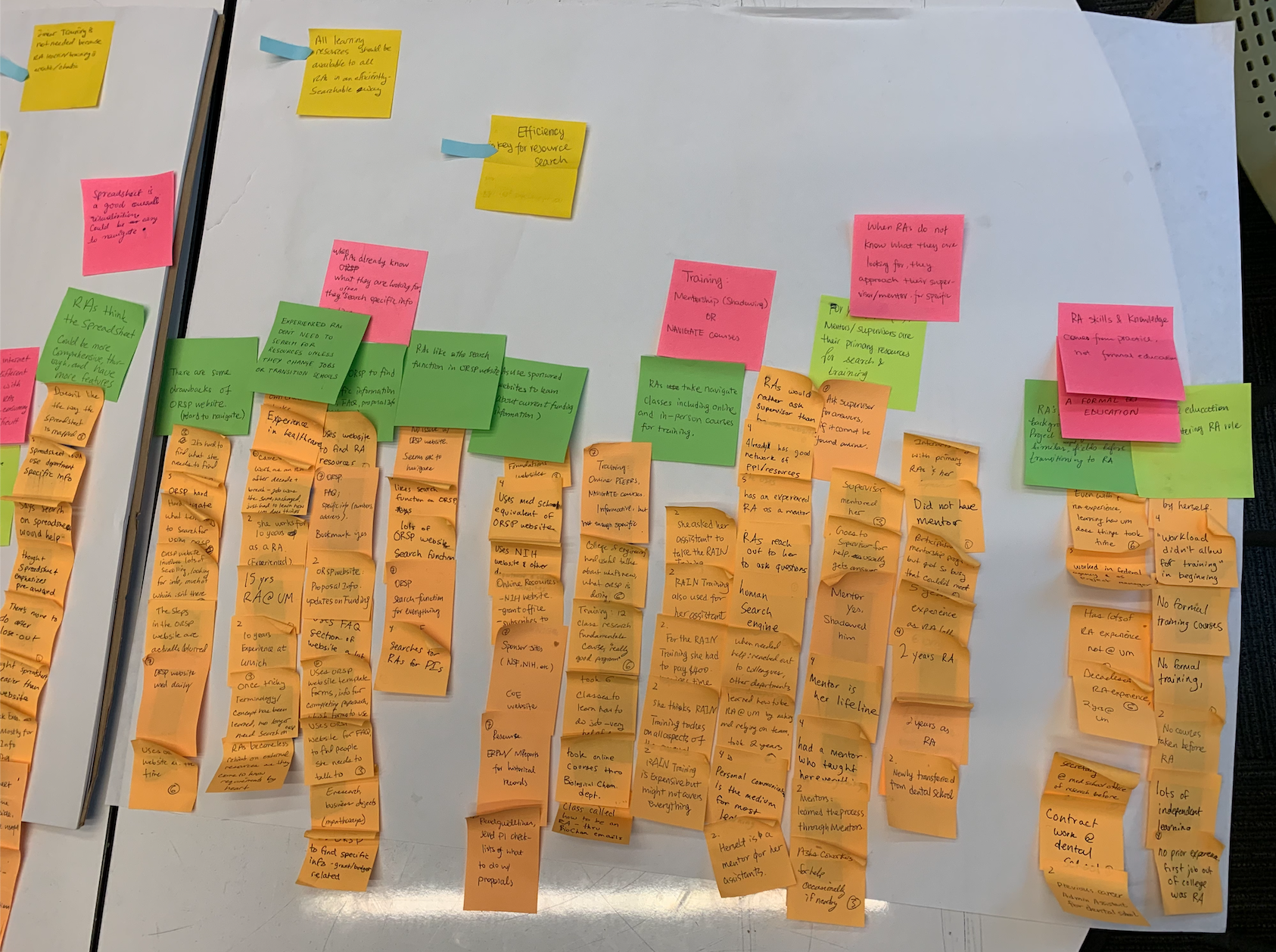
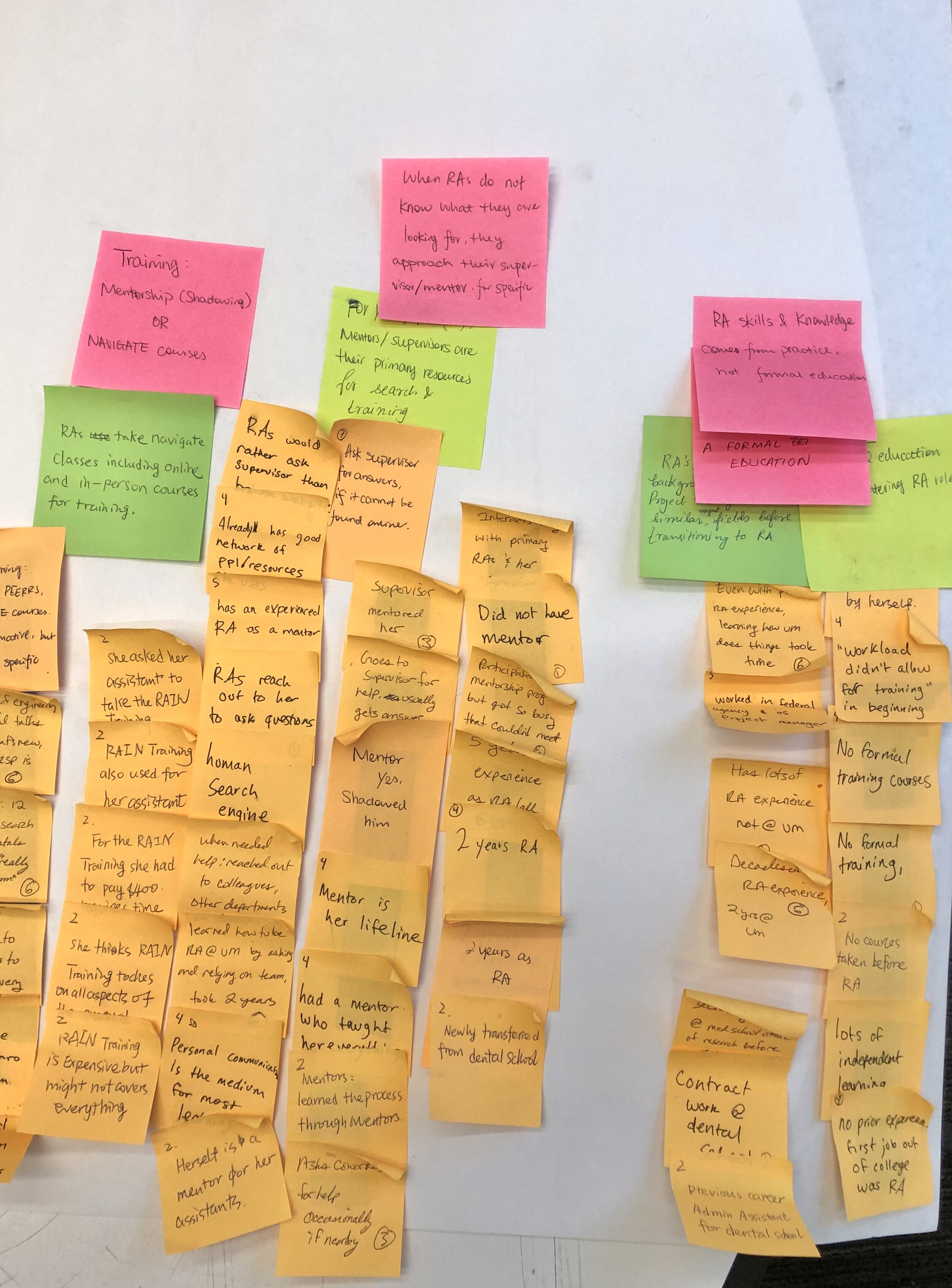
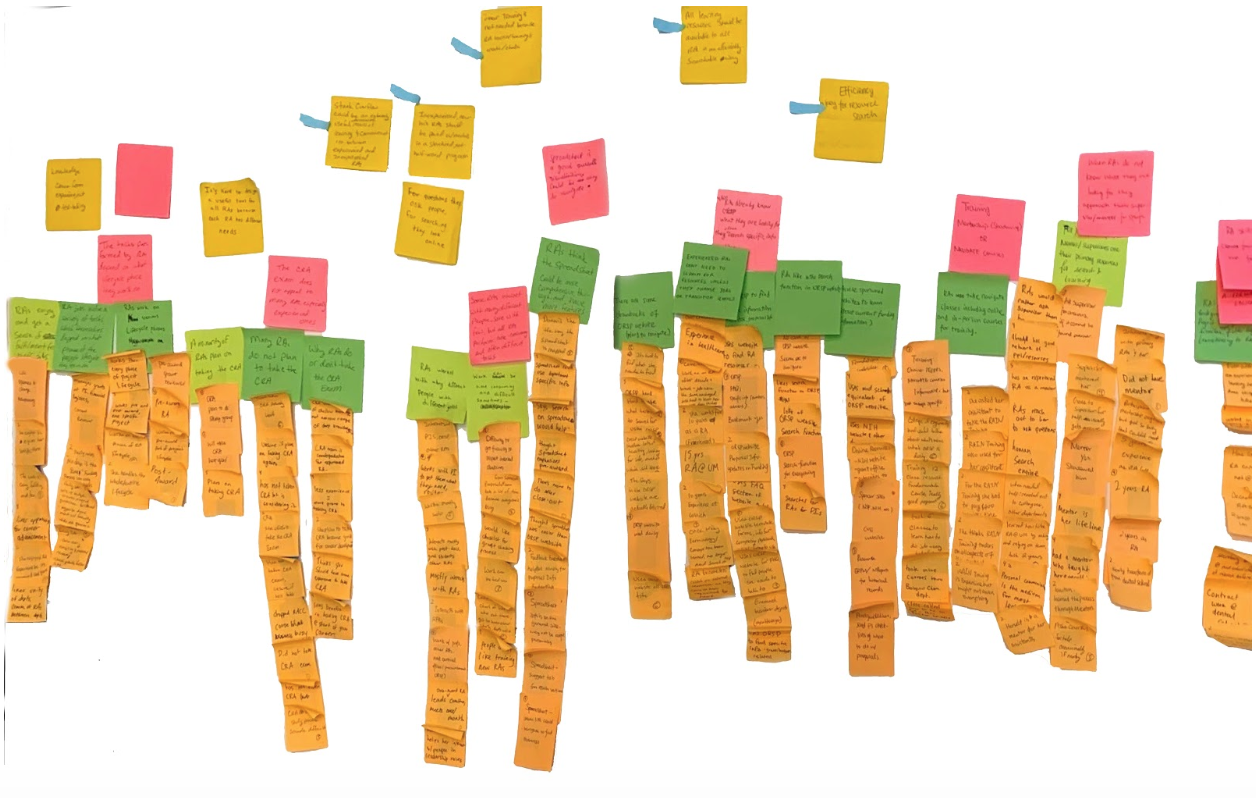
1. We constructed an affinity wall to synthesize our findings
After interviews, our team debriefed our findings using an Excel Sheet and came to consensus by entering our findings in cells corresponding to certain themes. We then transferred those findings into an affinity wall to synthesize our qualitative data. We clustered affinity notes with similar topics as groups and wrote the synthesized finding in higher level of affinity notes using a different color. The yellow affinity notes presented our high level synthesized findings. We found the step has helped us reflect back to our interviews and empathize with our users to scope the user needs and problem space.
2. Synthesized Findings:
Combing our interviews and affinity map, our group synthesized our findings below:
RA learning path is chaotic, no linear; each RA performs different tasks based on different life cycles.
RAs hope to efficiently search for information they need.
Search is currently the most important feature for finding resources online.
RAs tend to approach their supervisors or mentors for problem-solving, experienced RAs are an important resource for career development.
Persona development
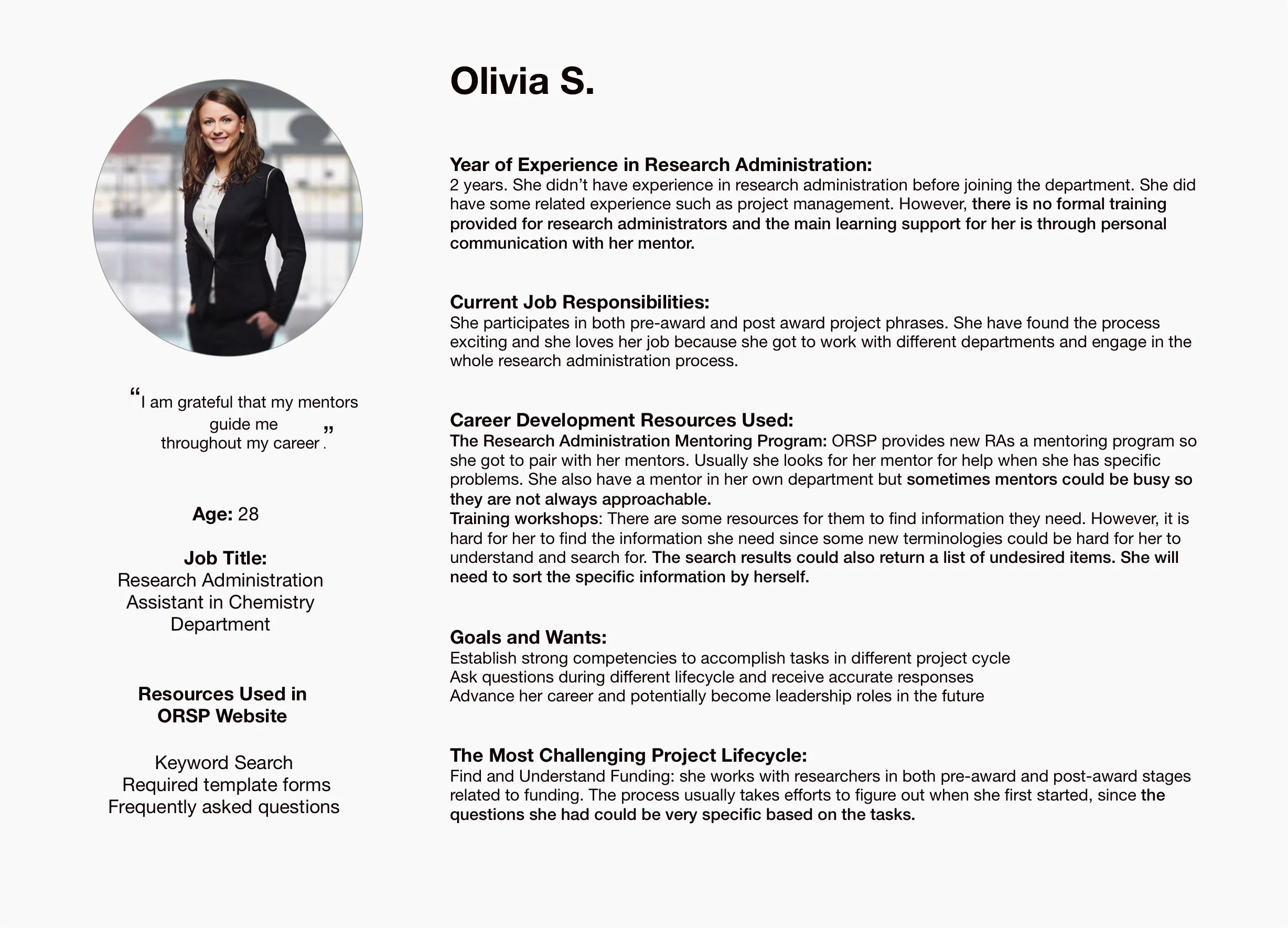
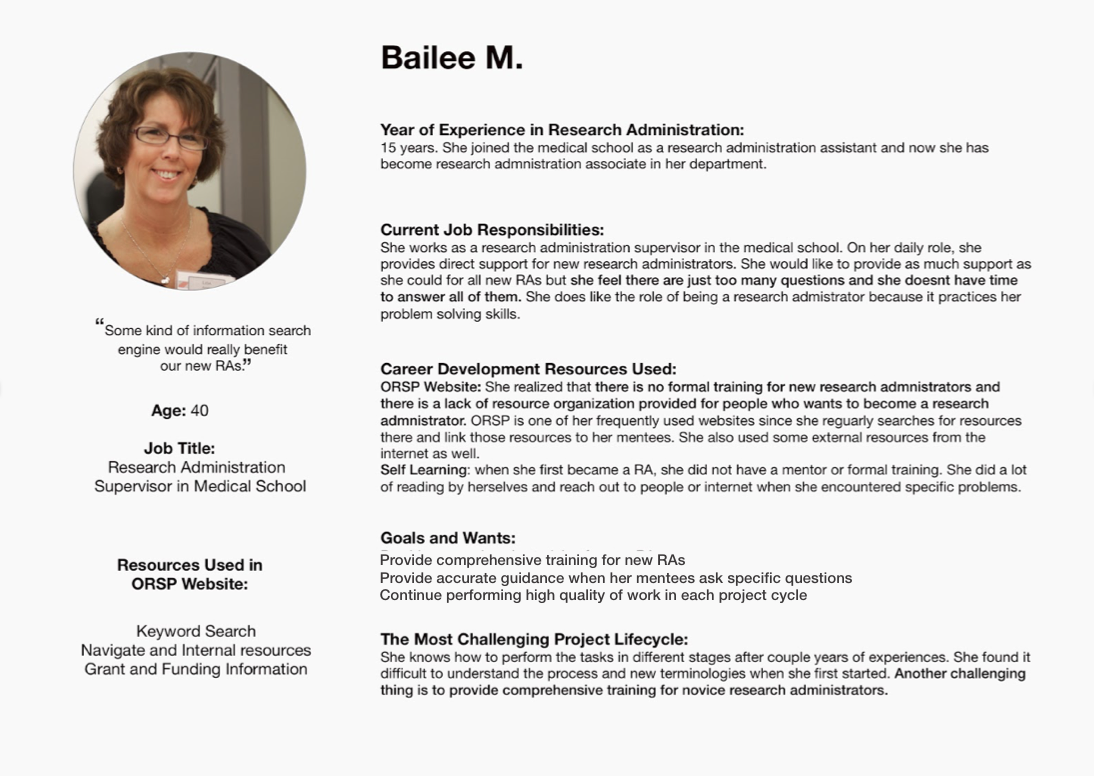
I led the persona development and created two personas to present our findings from the interviews and affinity wall. I used a behavioral approach to create the following two personas. Instead of having a detailed description of their demographic and technology profile, I focused on their roles, their daily responsibilities and how they felt in their daily roles throughout the career path. Olivia is a novice research administrator and Bailee is an experienced research administrator, which represents two main populations that we interviewed.
III: Ideation
Sketches and Paper Prototypes
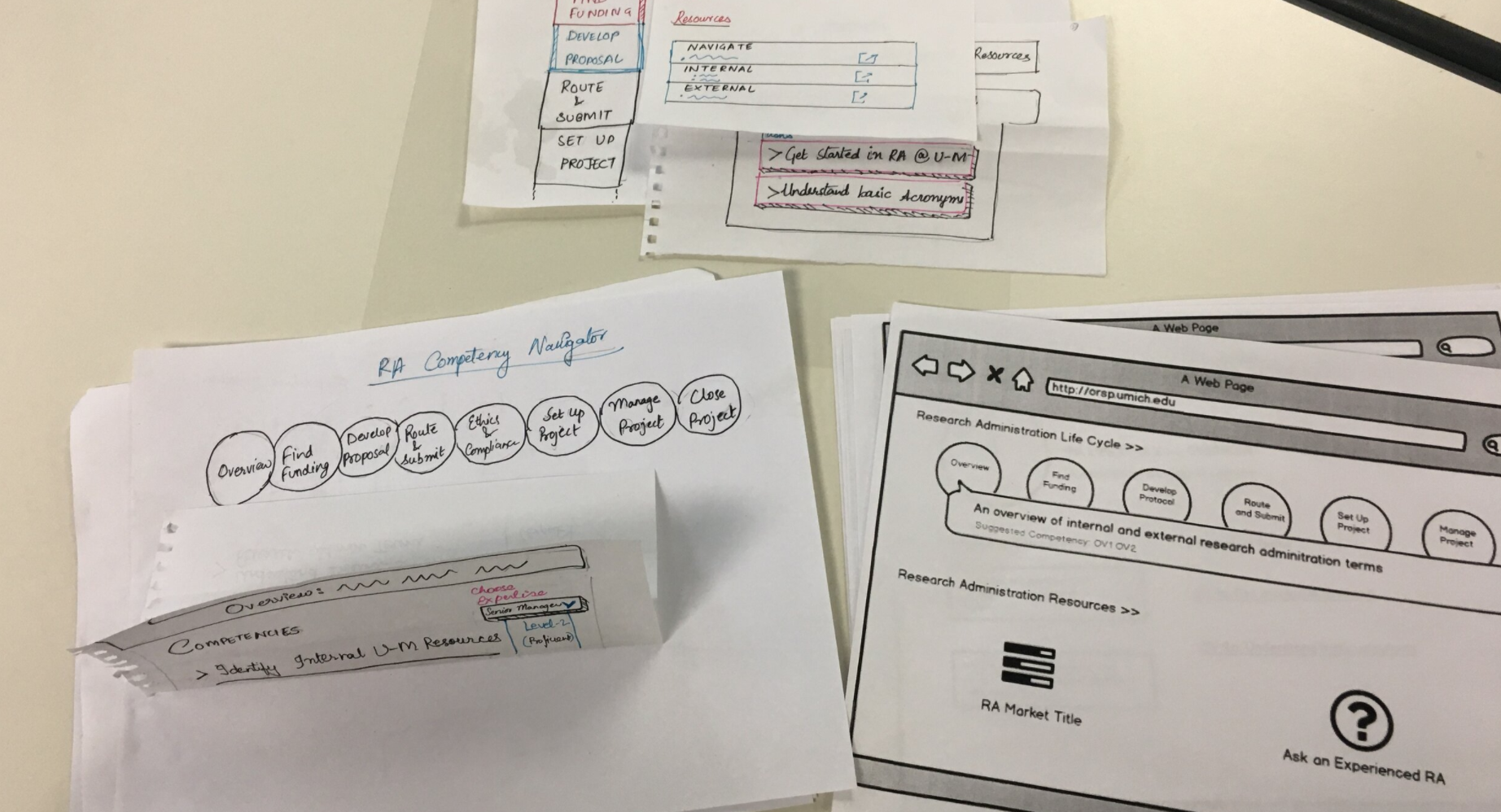
Based on our findings, our team brainstormed and sketched out our ideas based on our research and the spreadsheet. I worked on using Balsamiq to turn our sketches and combined my own understanding to wireframes. In the meanwhile, two of my team members also created prototypes on Airtable and WiKi. We showed our prototypes to our clients, to gain additional feedbacks.
IV: Refine and Deliver
Client Feedback
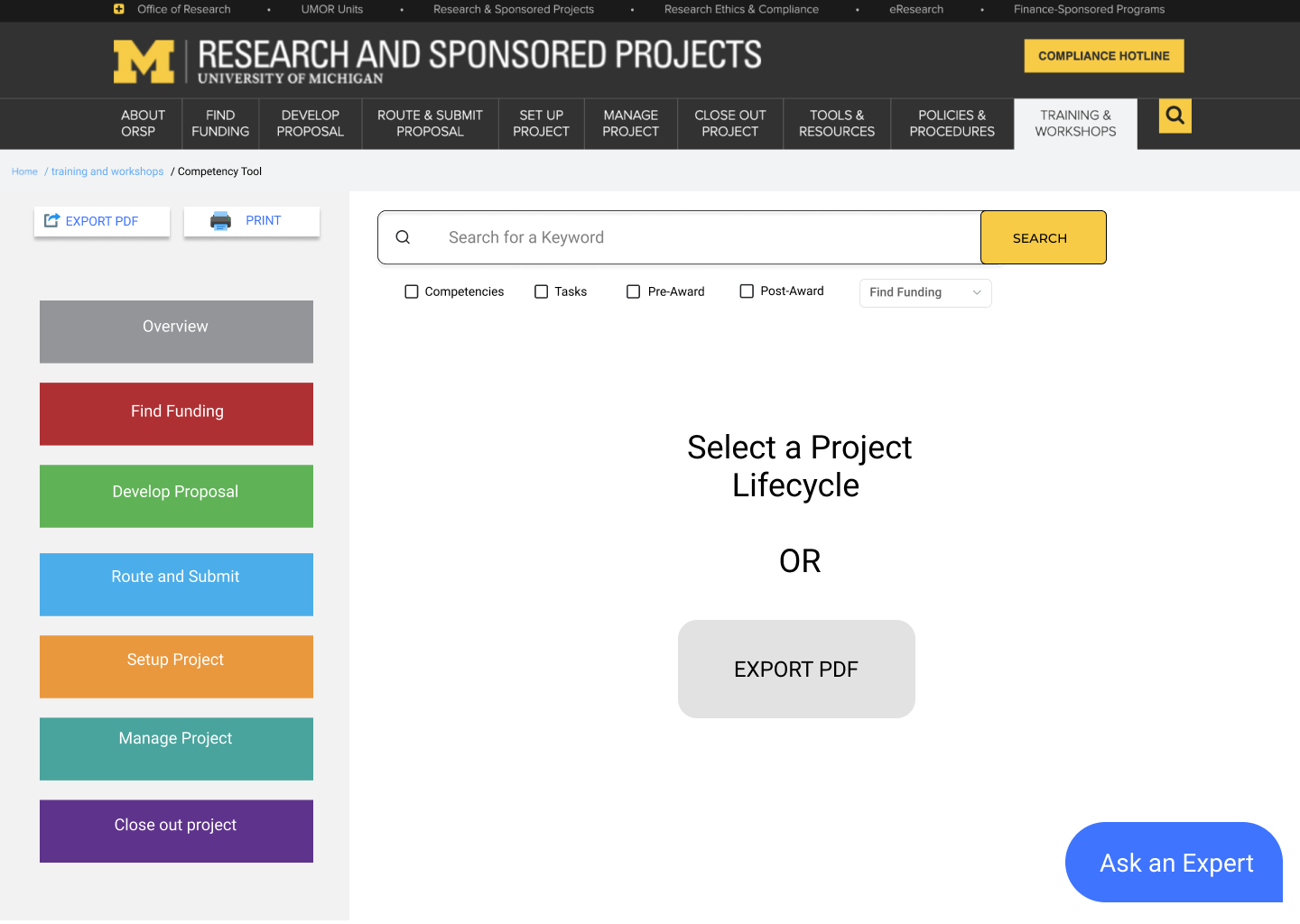
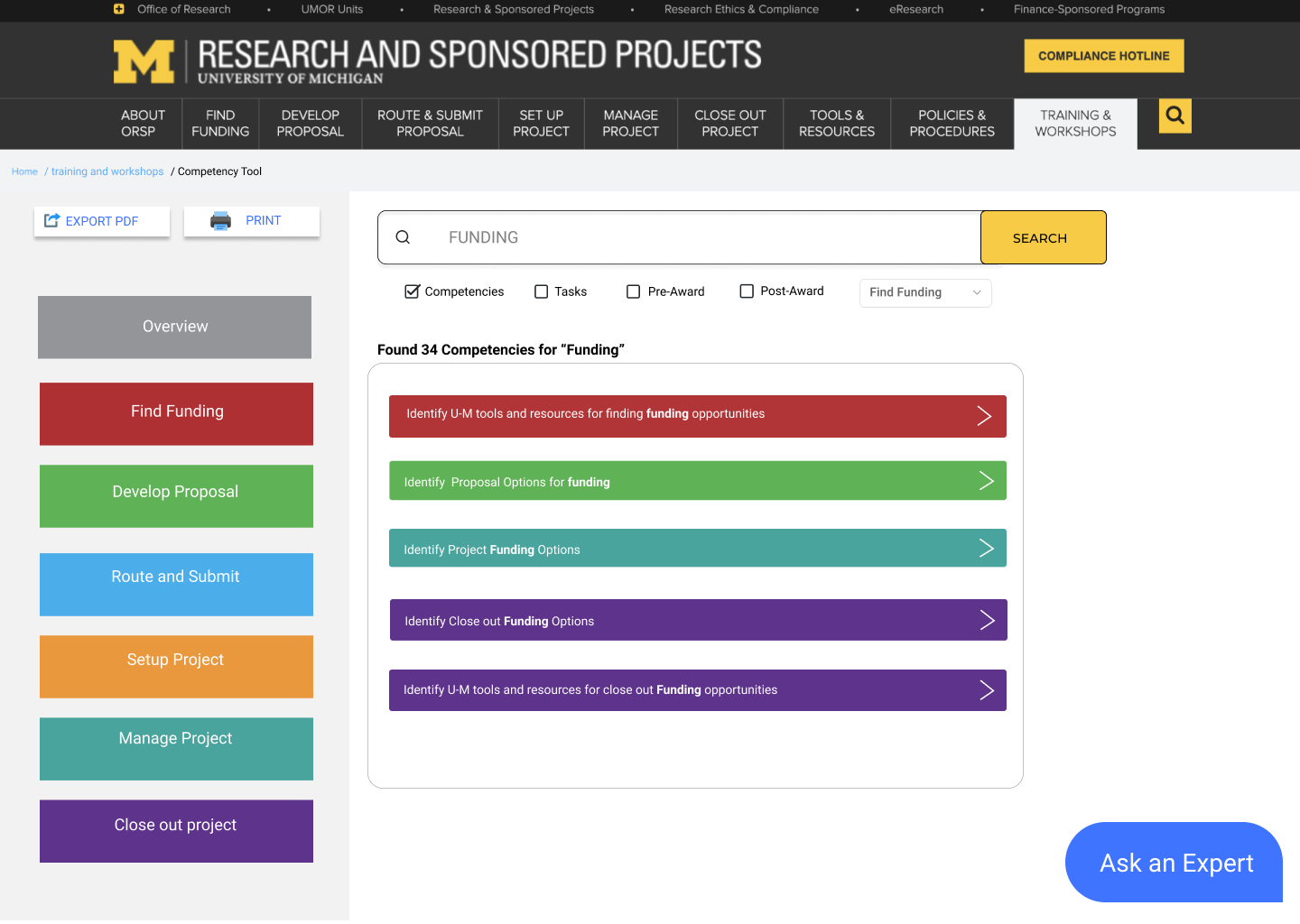
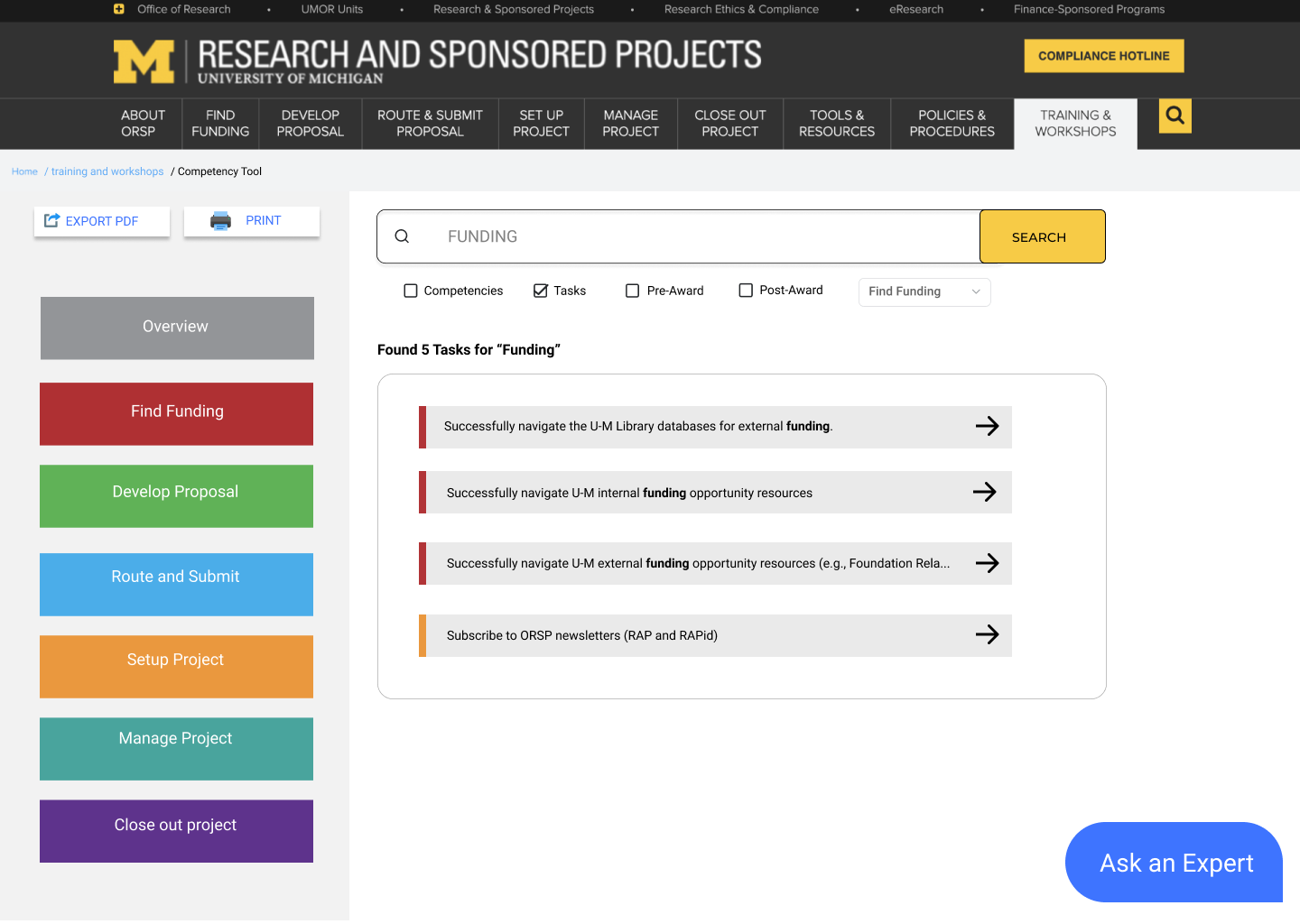
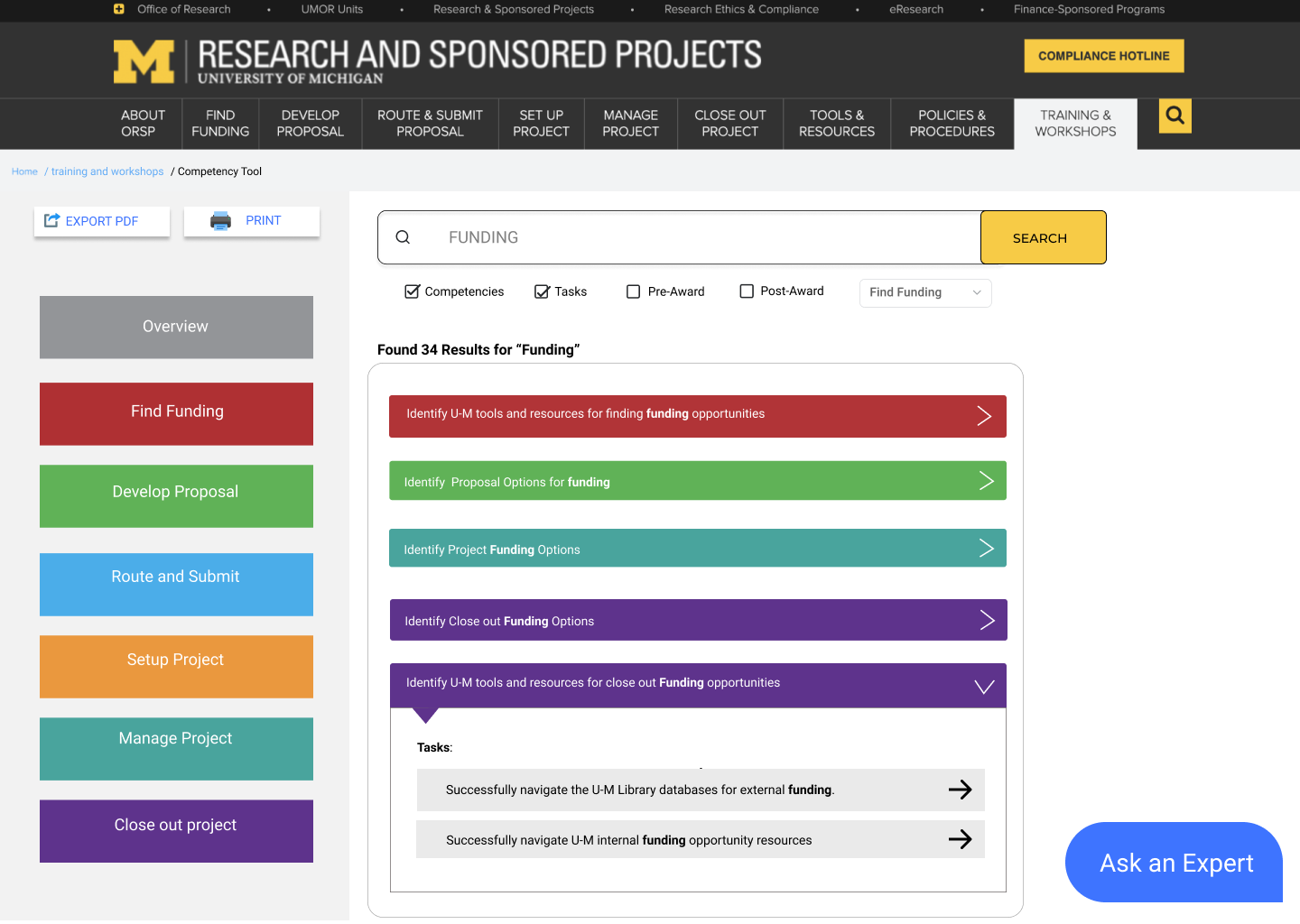
Our client provided us with thoughtful feedbacks on some features they have liked as well as some other features they hoped us to focus on in future designs: the button of “Ask an RA” should link to a web forum that they are currently developing. They hoped the tool would allow “Download” and “Export as PDF” features. Lastly, they agreed that search function should be prioritized, and adding a filter would improve the search experience of RAs. Specifically, they hoped us to use Lifecycle Phase, Competencies, Tasks, Pre-Award or Post-Award as filters.
Primary Recommendation
User flow
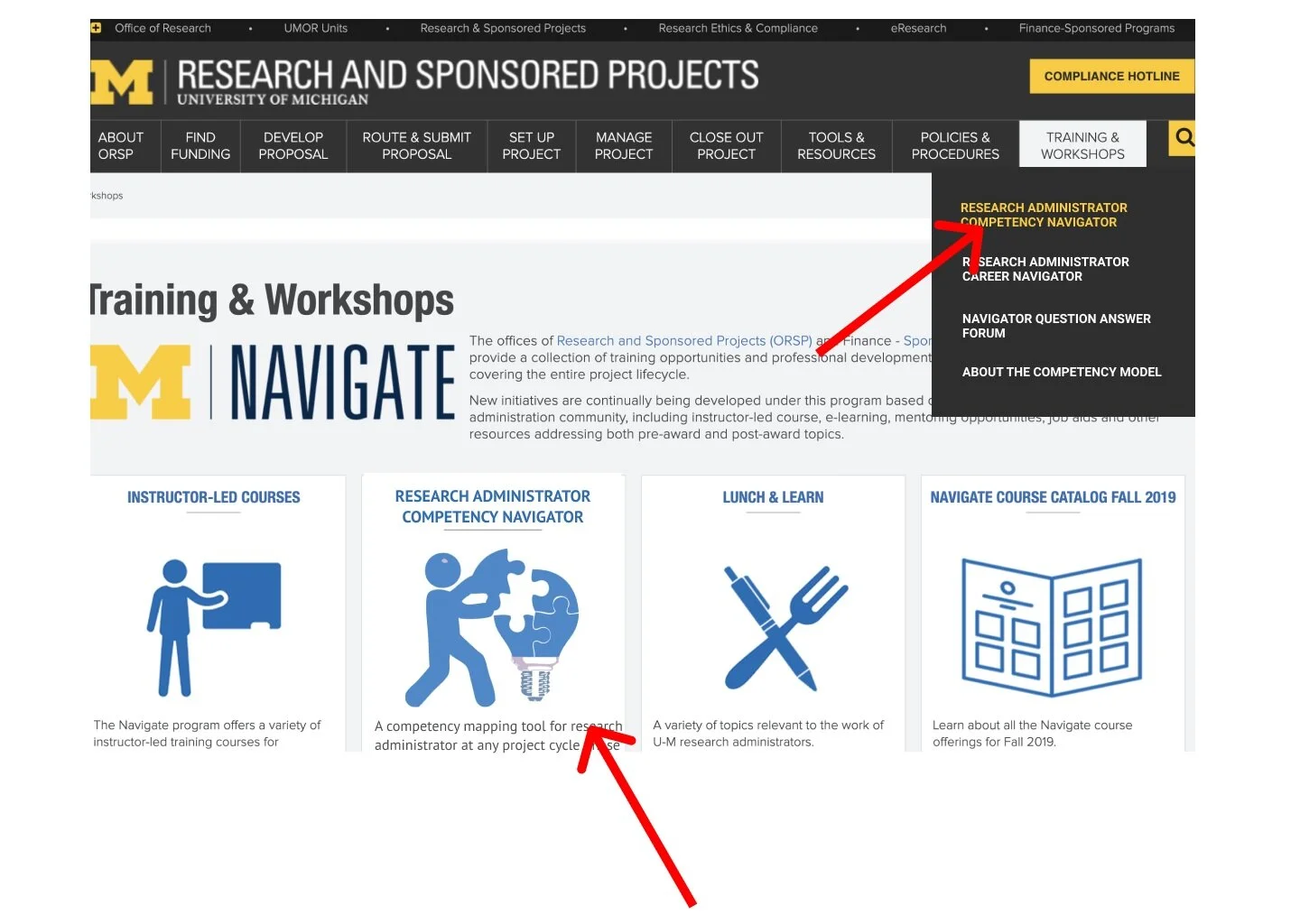
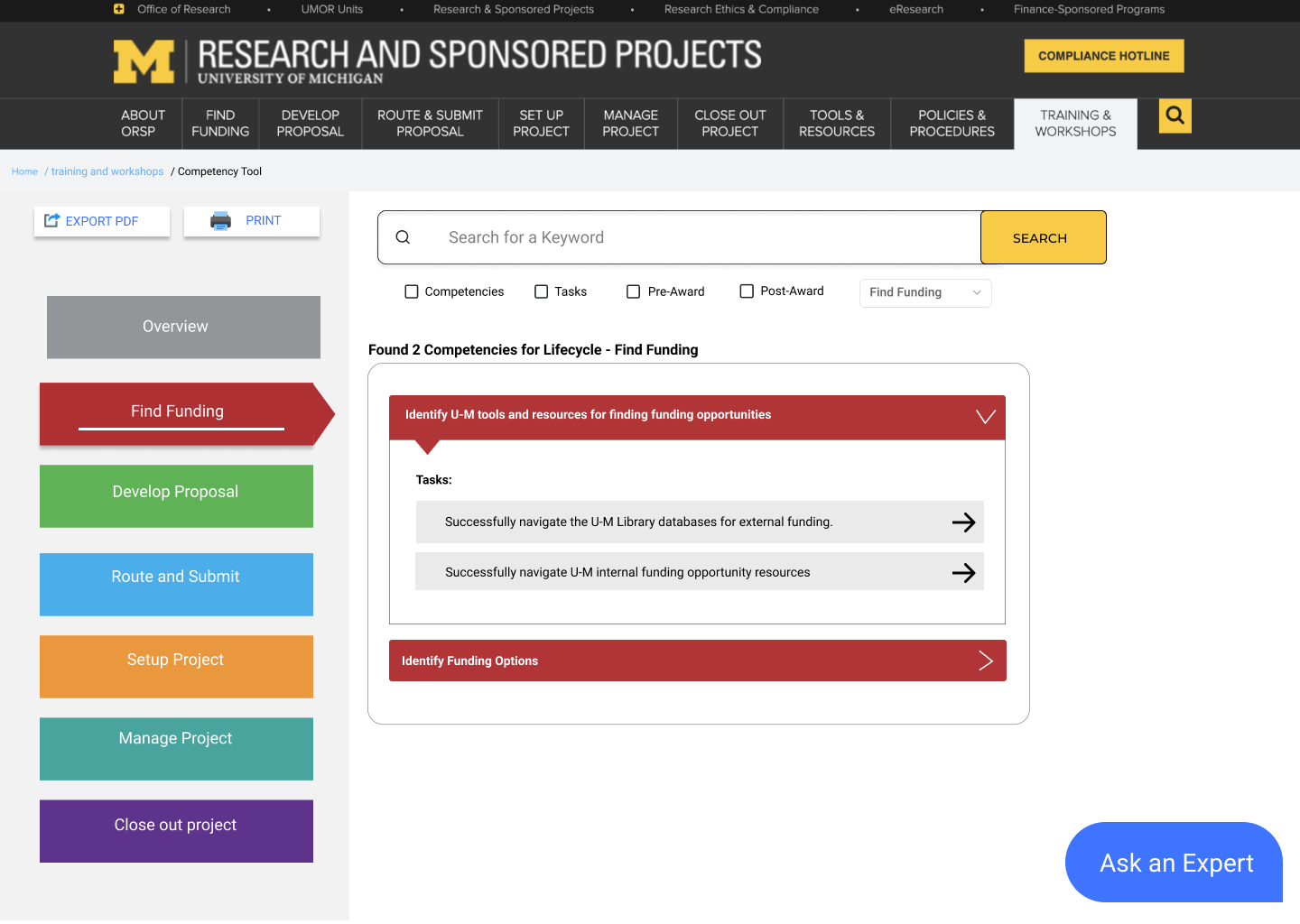
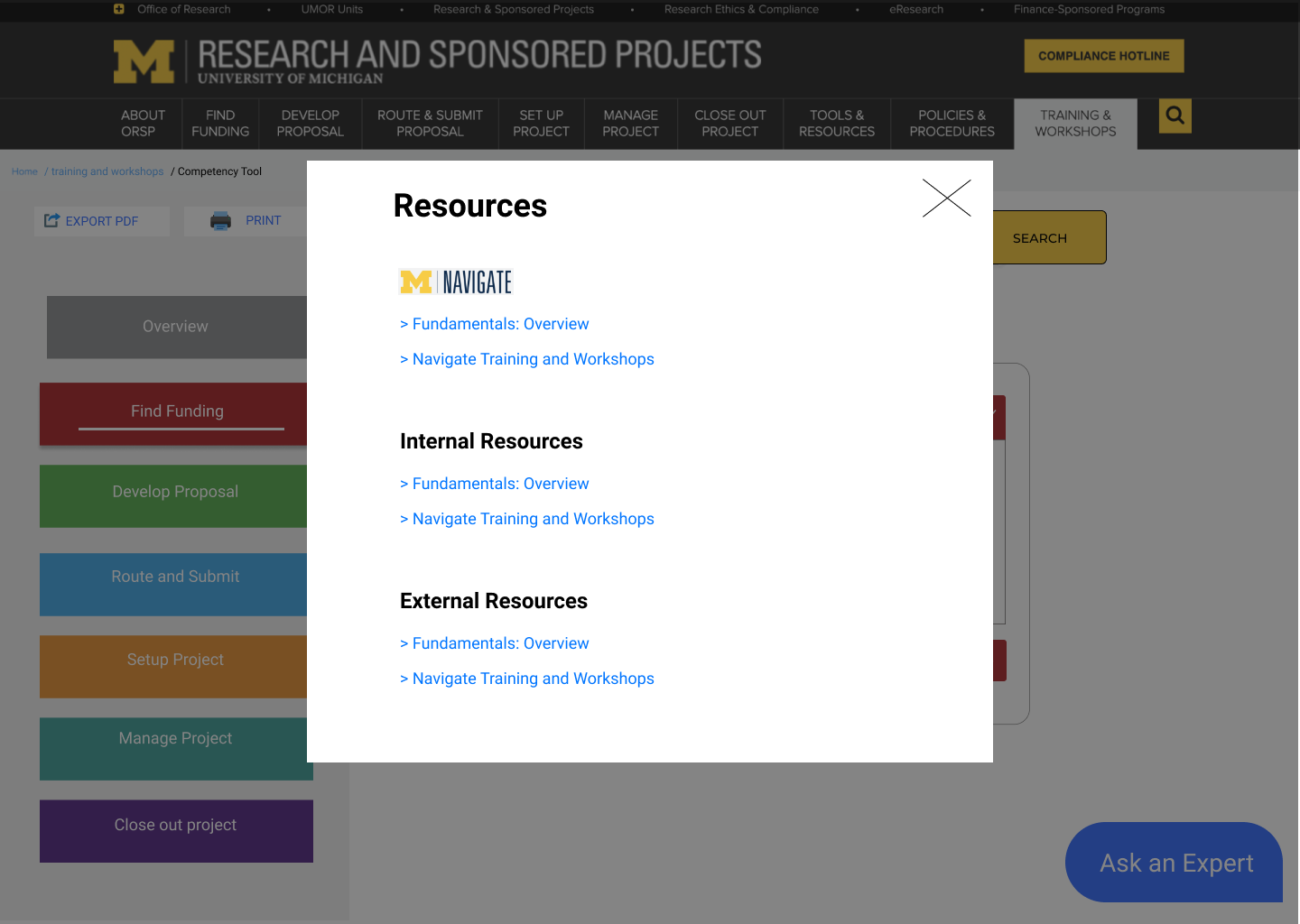
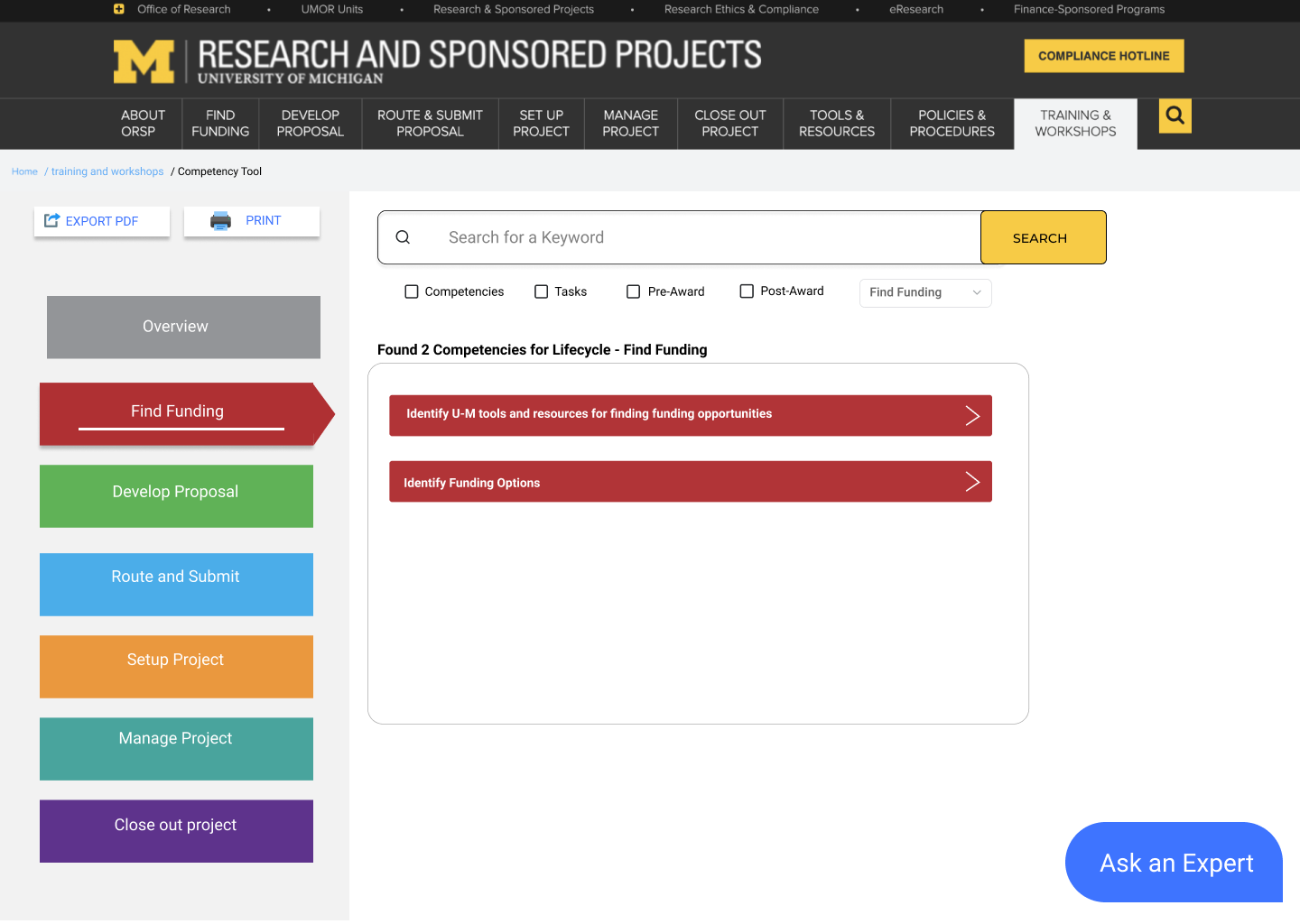
Based on the findings and feedbacks we gained from our client for our paper prototypes, we developed the following mid-fidelity designs after a team brainstorming session. Our primary recommendation was a web-based navigation tool that could be added in the current ORSP website and allows users to explore different project lifecycle phases, competencies, tasks, and attain those resources via browse or search. One of my colleague created the user flow describing a user viewing resources by lifecycle, searching for a resource by keyword, filtering results and exporting the document.
Please feel free to interact with our Prototype.
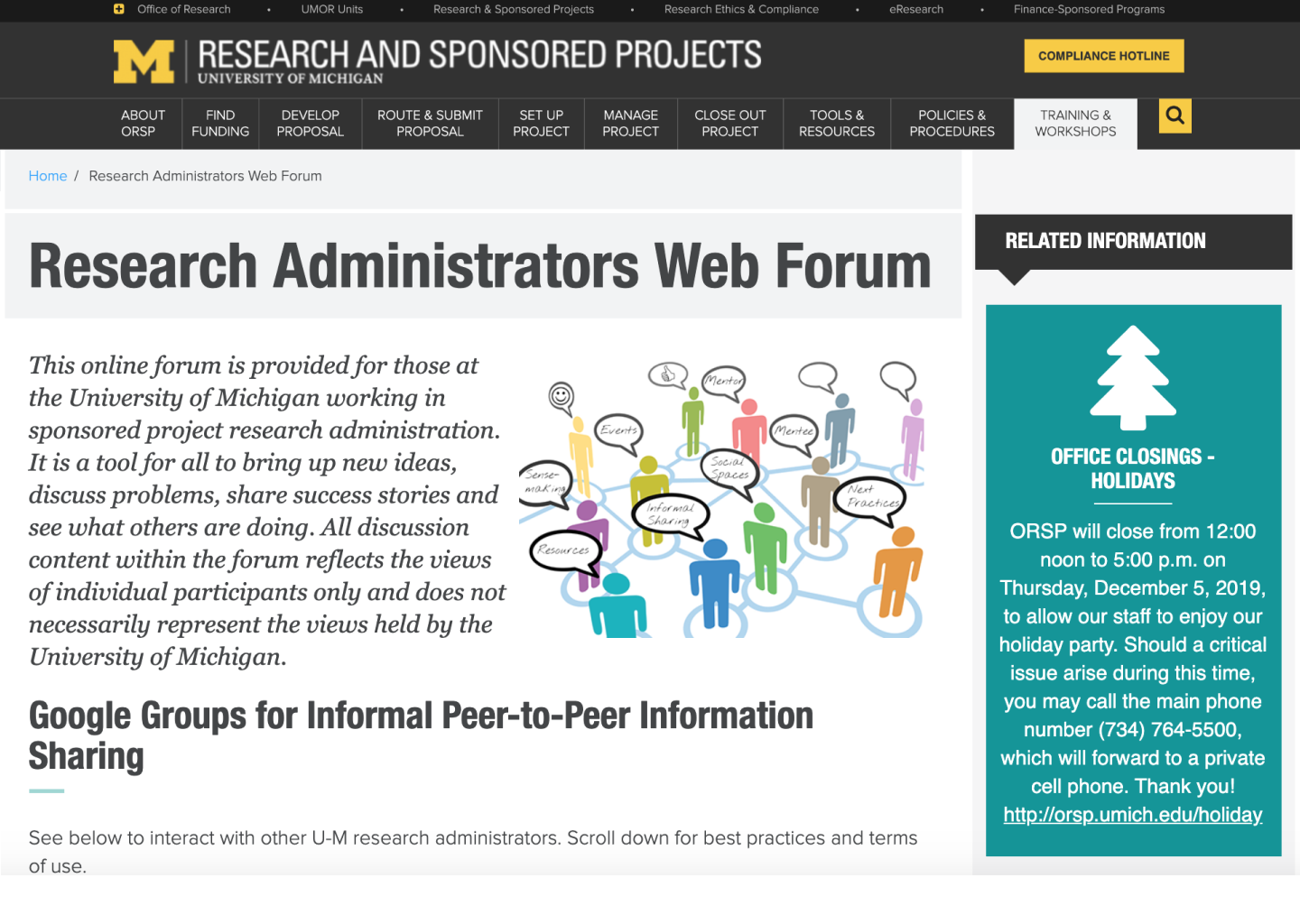
All of our screen designs were shown as below, we used Figma to collaborate and create our designs.
Secondary Recommendations
Based on our competitive analysis, we provided our client with secondary tools including WiKi and Airtable, as an alternative option for how to better organize the information in the Competencies Matrix. Due to the difficulty to incorporate those third-party platforms into current ORSP website, this plan hasn’t been chosen as a primary option. However, following the principle of sustainable design, we provided our client with the the prototype of MediaWiki and Airtable so they could use an inspiration as they proceed on this project.
Final Poster
We presented a final poster at UMSI Fall 2019 Student Exposition. Our client liked our solutions and has planned to implement some of those features we recommended.
Project Take Aways
This projects has exposed me to a real-world context where I got to directly interact with our client. I was able to see the direct impact we had for the Office of Research and Sponsored Projects. My role in the team helped me gain both research and design experiences. Moreover, I learned that in order to make solid design decisions, being able to navigate through existing resources, compare similar products, make final design trade-off based on participants’ interview data and client’s needs all contributed to our success. Our client and design clinic mentors were very supportive along the way as we defined and scoped our project goal. I am also very thankful that I had a group of talented teammates to work with!
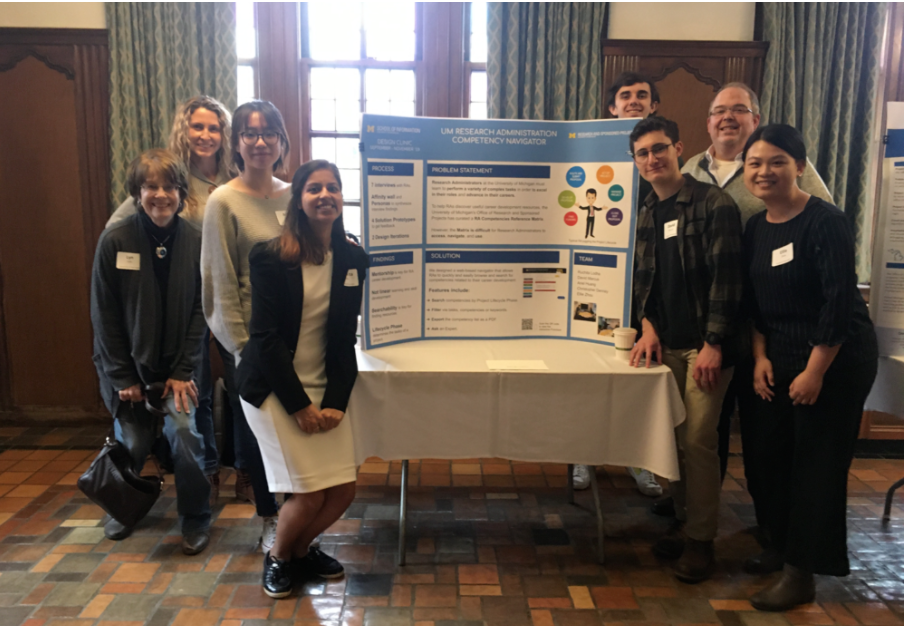
Group photo with client
Individual note from our client